Make Money with AI-Powered App Development
A Minimal, Personal Tool Solved a Problem No Commercial App Could
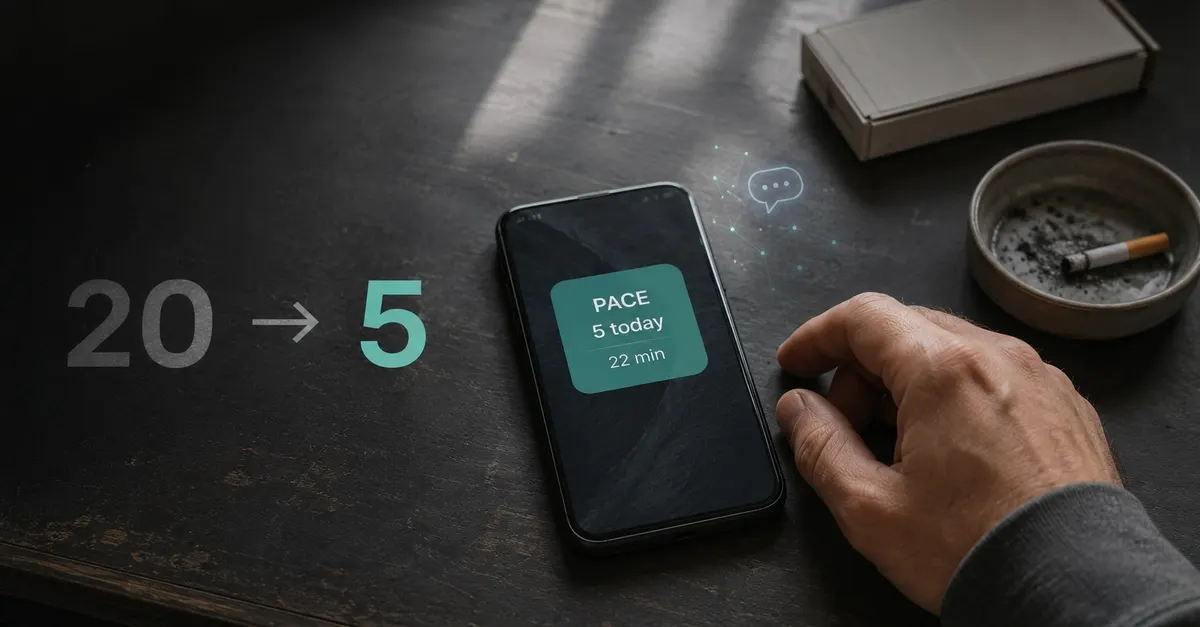
If you’ve ever tried to quit smoking, you’ve likely encountered the same frustrating gap in available tools: most apps are either overly punitive, packed with ads, or require logging dozens of tedious data points that feel like a chore rather than a help. For one former heavy smoker, who once lit up 20 cigarettes a day, the core issue was simple: they had no concrete data on how much they actually smoked, only a vague sense that it was “too much.” Willpower and vague promises to “cut back later” never stuck, because there was no tangible feedback to drive behavior change.
Their solution was an app called Pace, built exclusively for their own use, with just two core functions: a single-tap counter to log each cigarette, and a non-punitive countdown timer showing how long until the next allowed smoke. No rules, no guilt, just clear, visible data. Seeing “14” logged by 4pm hits very differently than a vague feeling of overconsumption, and the countdown timer shifted the mindset from restriction to patience: waiting for the timer to run out felt far more manageable than fighting a craving head-on. The app was later released for free on GitHub, with the creator noting that even if it helps one other person quit, the project is a success.
You Don’t Need Technical Skills to Build a Working App
The most remarkable part of the Pace app’s creation is that its builder had zero prior app development experience. They had never written a line of Kotlin, didn’t know what Jetpack Compose was, and had no understanding of how Android widgets function under the hood. The entire app was built using Claude Code, an AI-powered coding assistant that translates plain English descriptions into functional, production-ready code.
The split of work was straightforward and accessible to anyone: the builder described desired features, tested the app daily on their personal device, and flagged bugs or awkward user experience choices, while Claude Code handled all the underlying coding work. Early iterations fixed issues like a frozen countdown timer on the home screen widget, a debounce feature to prevent accidental pocket taps from logging false cigarettes, and adjusted notification timing to align with the builder’s actual craving patterns. No formal coding training was required at any step.
How Claude Code Cuts App Development Time From Months to Days
Traditional app development requires learning platform-specific programming languages, hiring specialized developers, and iterating over weeks of testing and bug fixes, with total costs often reaching tens of thousands of dollars for a simple tool. Claude Code eliminates that barrier entirely: anyone can describe their desired functionality in natural language and get a working prototype in hours, not months. For the Pace app, the builder didn’t have to learn Android-specific syntax or debug widget rendering issues manually; they simply described the problem, and Claude Code generated and refined the code automatically. This makes custom app development accessible to anyone with a specific problem to solve, no technical background required.
Adding Local AI Features to Make the Tool Actually Work
The LLM is fine-tuned to have a casual, non-preachy personality: it sends silly riddles, random two-minute tasks, or casual conversation to distract the user until the craving fades. No lectures, no guilt, just low-effort distraction that fits into the user’s existing routine. This small feature turned Pace from a simple tracking tool into an effective aid for cutting back on smoking, with the creator noting that seeing the app’s subtle reminders hundreds of times a day has fundamentally shifted their confidence in their ability to quit entirely.
Why Ollama Is Perfect for Personal Productivity AI Tools
For personal use cases like this, Ollama offers major advantages over cloud-based AI tools. It eliminates the need for paid API subscriptions, keeps all user data local for full privacy, and lets you customize the LLM’s behavior to match your specific needs without any machine learning expertise. Running a small LLM locally is far more cost-effective than using cloud-based models, and it works offline, which is critical for tools you use throughout the day. This approach lets you add smart, personalized features to your productivity tools without adding ongoing costs or privacy risks.
Turn Personal AI Projects Into Sustainable Income Streams
The creator released Pace for free on GitHub, with no ads, no paywalls, and no monetization goals, focused solely on helping other people trying to quit smoking. But this model of building custom, AI-powered tools for personal use can easily be turned into a reliable income stream with minimal extra work. If you build a tool that solves a common, unmet need, you can monetize it in a few low-effort ways:
- Offer a free basic version with optional premium features on platforms like Gumroad, with one-time or subscription pricing for advanced functionality.
- Sell custom builds of similar tools on Fiverr or Upwork for clients with specific, niche needs (for example, building a custom habit-tracking app for a small business team).
- License your codebase to other developers or small businesses looking for a starting point for their own tools.
Because AI tools like Claude Code and Ollama cut development and hosting costs to nearly zero, almost all revenue from these projects is pure profit, with no need for ongoing maintenance or large upfront investments.
Replicate This Process for Your Own App Idea in 3 Simple Steps
You don’t need to have a complex, world-changing idea to build a useful, potentially profitable app with AI. Follow this simple framework to get started:
- Identify a specific, personal pain point you encounter regularly. The more niche the problem, the less competition there is for a solution. For example, if you struggle to track daily medication doses, or if you keep forgetting to follow up on client emails, that’s a perfect starting point for a custom tool.
- Outline 1-3 core features your tool needs to solve the problem, no extra bells and whistles. For a medication tracking app, that might be a single-tap log button and a daily reminder, nothing more. Avoid overcomplicating your initial version.
- Use Claude Code to generate the initial codebase for your app, test it on your own device, and iterate based on your real-world usage. If you want to add AI features, integrate Ollama for local, low-cost LLM functionality. If you don’t want to build a native app, use no-code platforms like Bubble or Adalo paired with AI code generators to launch a minimum
The barrier to building custom software has never been lower. The most effective tools are often built by the people who actually have the problem, not large tech companies, and AI makes it possible for anyone to turn their personal pain points into functional, potentially profitable tools.
To refine your development process, these real-world AI monetization case studies offer great insights into scaling a small app.